Following last weeks session looking at the 180 degree rule and continuity of filming, at the end of the session we went out and filmed some footage making sure we filmed with our actor going right to left.
We were given a list of shots to create which followed the story of a man receiving a phone call with some bad news then rushing to the source of the call. Using Ed as our actor we created the following short film:
When it came to filming we always had to remember when setting up each shot from which angle we needed it in order to keep the shots flowing and not to confuse the audience. Our team managed to remember this rule the whole way through and there was no need for any double takes.
In todays session we worked with another group who were working left to right and put our footage together, this created more of a story. This was the final result:
As the original separate films were recorded separately the use of locations overlaps and does at points look a little odd but considering it is only a small exercise it is not too much of an issue and is more just for our own practice.
Friday, 5 February 2010

Group Project: ACM Gospel Documentary
Research
I have been looking at videos from the BBC's Page on ACM Gospel Choir for further research. The one which I found particularly useful was the one about Music Director Mark De Lisser, this is more of a profile video on him and proves useful as it is pretty much a short excerpt of the type of thing we hope to make.
In terms of other research, Ed conducted a phone interview with Mark and found out his vision and views on the choir, this has given us some basic material to use in order to start thinking about structuring an interview for the documentary.
Pitch
On Tuesday we took our pitches for our projects over to Paintworks in Bristol which is where we will be based in the 3rd year. As Ed was filming with the choir it was up to Mike and myself to represent the team! For our presentation we created a Google Doc as it made it easy for us all to edit it in our own time in separate locations. We saved it to a memory stick as a back up (though the YouTube video would not have worked in this case), however the good thing about Google Doc is that you don't need to rely on them and all you need is the internet access to get to your file.
This is the presentation we created:
I have been looking at videos from the BBC's Page on ACM Gospel Choir for further research. The one which I found particularly useful was the one about Music Director Mark De Lisser, this is more of a profile video on him and proves useful as it is pretty much a short excerpt of the type of thing we hope to make.
In terms of other research, Ed conducted a phone interview with Mark and found out his vision and views on the choir, this has given us some basic material to use in order to start thinking about structuring an interview for the documentary.
Pitch
This is the presentation we created:
Friday, 29 January 2010
Using Celtx
 In todays session we have been using Celtx in order to deconstruct a scene. This is aiming to help us know how to construct a scene when it comes to making our group projects for 4003.
To do this we used the car chase scene from 1968 film Bullitt starring Steve McQueen. The scene is different from modern day car chase scene in that the shots tend to be longer, the longest one of which is around 18 seconds long.
A thing we were told to bear in mind when looking at the shots was whether or not they kept to the 180 degree rule of filming.
 Sticking to the rule means that filming will be kept in the right direction allowing continuity between shots and preventing audience from being confused about the direction/set up of the shots they are watching.
Characters/objects in the shot should keep the same left/right relationship, and when an object is moving, for example a moving train, if in the first shot the train goes from screen left to screen right it should continue to do so throughout the sequence.
This is part of the deconstruction from the scene with some details to what is going on in the shots themselves:

From this exercise and the ones we have completed in previous 4003 sessions it can be seen that not only is Celtx useful for pre-production storyboarding, but also to deconstruct/analsye existing work.
Friday, 22 January 2010
Group Project: Initial Ideas

We are staring work on our group video project and our task by the end of the day was to come up with an idea, find groups and submit a proposal.
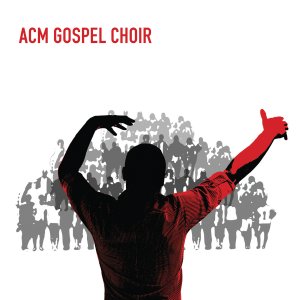
I have chosen to work with Ed and Mike, Ed had the idea of doing a documentary on the choir he is in called ACM Gospel Choir. I myself wanted to do something either documentary or music based so this idea really appealed to me. Here is our treatment so you can get an idea of what we hope to work on:
We intend to make a documentary following the progress of the ACM Gospel Choir. To Tell the story we will have one on one interviews as well as live footage of the choir, to show the progress we will also contrast the footage by using some archive material and some from BBC.
Though we will not neccessarily have one story running throughout, the choir itself are the spine of the documentary and the use of a voiceover will also help hold the piece together.
the ACM Choir are based in Guilford, Surrey and rehearse and perform regularly including featuring on BBC One#s Last Choir Standing in Summer 2008. Their development has been quite rapid and this is what we aim to give an insight on within the documentary.
Another aspect we will focus on is to look at particular members of the choir who have their own side projects, this will also give an insight on the struggle to become professional, successful musicians.
We will go to Guilford to film rehearsal process and also go to one or more of their gigs to get a good range of footage. In terms of how we film it we will use traditional documentary style filming but will also include some backstage hand held camera footage to add a personal touch (in the form of video diary) as well as contrast.
For more info on our chosen topic please visit the ACM website.
Tuesday, 19 January 2010
Scheduling

In todays session we looked further at pre-production and looked at creating a schedule. The function of the schedule is for it to be a document that all crew and cast can read and immediately understand what is going on with shooting.
Key details to be included on a schedule are:
- Contact details of cast/crew (name, phone number, email address)
- Local contacts (can be used as tick list for release forms)
- Equipment details (and contact for technical support)
- Directions/map with transport arrangements (cast often has transport organised for them whereas crew are expected to make their own way)
- Arrival times
- Shooting schedule (in as much or as little detail as you feel appropriate.
Friday, 15 January 2010
Interlaced vs Deinterlaced Footage
When preparing footage for viewing there is one key thing to consider, where the footage is going to be viewed. This falls into 2 categories:
- TV: Footage needs to be interlaced
- Visual Display Units (VDU's): Footage needs to be deinterlaced
A clear way to illustrate the difference is in the following images, with footage from Finding Neverland. Both clips have been paused at the same point (give or take a few milliseconds), the snapshot on the LEFT has been deinterlaced, whereas the one on the RIGHT is still interlaced.
The noticeable difference here is motion blur.


 A further thing to consider when editing is the gamma setting on the display unit, this is different between Macs and PC's, this means the image will be brighter. The image on the left shows the setting on a Mac and the right hand image shows the equivalent on a PC.

Tuesday, 12 January 2010
Using Celtx

In today's session we used Celtx in order to create a storyboard to use for shooting. The new 2.7 version of the free software allows you to use a sketch feature which helps those who cant draw to well.

Using the sketch feature we created overhead shots for a made up script. The advantage of this is that you can make clear pictures of the set that any member of crew would find easy to follow. You can add as much or as little text detail as you wish.
At the end of the 2 scene worth of inputting you get something like this:

From this you can also add images from a camera, which we went on to do. Once you have done this the play function will work and you have a full detailed storyboard which can also be rearranged to function as a shot list.

Subscribe to:
Posts (Atom)