Showing posts with label editing. Show all posts

Sunday, 5 December 2010

A Quick Guide to Multi-Camera Editing!

As mentioned in previous posts, myself and 3 others helped on a music shoot last Monday and edited on Wednesday, and we learnt there are many things to bear in mind when simultaneously shooting with more than one camera.
Here is a few key points to remember when it comes to FILMING multi-cam shoot:
  • When filming ensure both camera are in same format and codec
  • All rec's must be continuous (e.g. dont break between songs)
  • Get a clear sync point when filming (e.g. a clap/shout/flash)
When it comes to editing in Final Cut here's the basics of what to do:
  • Find your sync points in footage and mark them as 'in points'
  • After selecting clips choose "Modify' then 'Make Multiclip'
  • Overwrite the multiclip into the Timeline (shortcut F10)
  • Opening the multiclip in the viewer you can simply clip between shots
  • You can then go back and adjust any cuts accordingly (e.g. to the beat in music) by 'rolling' or 'extending' the edits
  • Once you're finished and wish to edit the clip as a whole such as fade ins/cutting whole chunks out you must again select 'Modify' and then 'Collapse Multiclip'
It is a lot simpler than I first thought, just have to make sure you get a good and clear sync point when filming, will save ages in the edit!
All tips here adapted from worksheet from Mike Johnston.

Friday, 7 May 2010

Individual Project: Editing Process


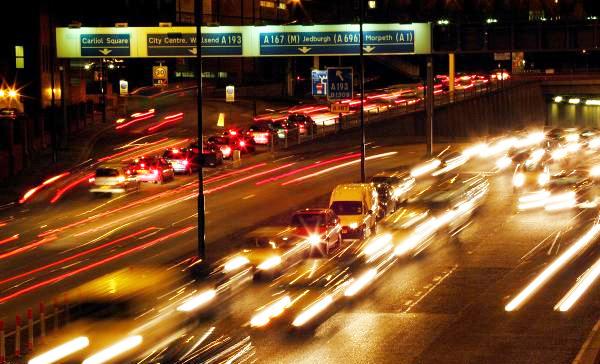
http://fc09.deviantart.net/fs43/i/2009/061/d/6/Traffic_by_misskoisty.jpg 


After taking a whole evening of after finishing editing the group project it is back to work on editing the individual project.

I began by bringing all my clips in chronological order from filming I began to piece together the clips to give a variety of landscapes and scenary. My first concern was at how samey and boring the piece looks, so I tried to keep the use of the animation clips I had put together equally spaced out to break it all up.

http://www.121ds.co.uk/resources/motorway+at+night+cropped.jpg
The next step was to put the music in, this gave me far more faith in my film turning out okay as there is something about the music I have chosen that just seems to work. It seems to make the whole film go by faster and keeps a pace to it. The composition of the song also allowed lots of opportunity to practice fade in/outs with the beats which also helps reinforce the passing of time on The Journey.

Tuesday, 27 April 2010

Group Project: Reassessing Our Approach


So with only a week to go before the deadline for our group project we are deep into the editing process. Due to problems with technology and capturing our 2nd tape of footage we only managed to gather all our footage together on Friday.
Up to this point we had edited the interview footage from just one tape and were finding it impossible to match up the cut down clips with this new tape. What else could we do but start over?
We managed to line up the two full half an hour tapes of interview so we could easily cut down and swap between shots. Though this sounds like a massive step back, because I had worked on the interview so far for so long I knew exactly what was and wasn't in it. It only took a few hours to get back to a interview of just over 6 minutes.
To cut a long story short...after a minor delay we are back on track and feel we are still on track to get everything done on time!
And the lesson to be learnt? ... dont rely on technology!

Friday, 26 March 2010

Fridays FCP- Final Cut Practice!

Today we looked at colour correction within FCP. To do this we took one of the group cooking projects to edit.
These are the steps we went though:

Firstly we went through the clip and made markers within the Viewer (if we had the original FCP file this would not have to be done), from this we were prepared to make subclips. It is useful to name the shots and add a description for future reference.


After doing this you can make subclips and set them up in a new bin within the browser...


Using these you can recreate the film in the timeline...


Once you have done this it is time to add the effects, for this exercise we are looking at colour and exposure correction so for this you need to use Color Collection 3-Way, when you arrange the windows you get different graphs to work with...


We will focus on using the waveform and vectorscopes and then we can edit the settings using the Color Corrector within the viewer.


You can keep an eye on what you are doing by comparing with other shots using the tool bench on the right hand side.

This is the result of our work this morning:

I have realised it is a very slow process doing this colour correction work, the clear way to make it easier on yourself is to set and keep correct exposures throughout filming. The more you do this the less editing work you will have to do later on in the process.

Wednesday, 24 March 2010

Group Project: Progress Update


http://www.eden.co.uk/images/300/ACMGOSP1.jpg


We are deep in the depths of editing now and have been spending lots of extra time in the Gatehouse working through our footage trying to edit it down into something that resembles a structured documentary.

http://www.myleeneklass.co.uk/wp/wp-content/uploads/2008/05/lastchoirstanding_logo.jpg We have divided the roles of editing up between the three of us, I have been looking at what we have filmed and looking at editing Marks interview footage whilst Ed and Mike have been looking at the archive BBC footage from the DVD's Ed was given a while ago.
http://www.bbc.co.uk/programmes/i/512xn/20fe49d6ae7f1d03c87b782f2a6d3465656feb3c.jpg
I have been able to take the half an hours worth of footage with Mark down to around 10 minutes and after ruthlessly going through what he has said and structuring the narrative we want to end up with we are aiming to edit this down even further to around 5 mins. This will allow plenty of leeway to add other footage.

Over Easter we are hoping to film a rehearsal with the choir but with only 2 days left and other commitments with the other 2 modules, this is about where we leave it for this term. We are well on our way to having a finished product as we have structured our narrative, have near to all of our required footage and a strong idea of how we want to styleise the documentary :)

See you after Easter!

Friday, 19 March 2010

Keyframing&Animation

Final Cut Pro 7 icon 


In todays session we had a go playing around with key framing to get a small animation done.
Using Final Cut Pro in particular the Viewer window you can edit the key frames to change certain settings of an image such as: Scale, Rotation, Center,  Anchor Point, Opacity and several other functions.


To get the image ready for using in the first place you must use Photoshop to edit the image so that it has no background by using layers and alphachannels.
Once the image is ready and saved as a photoshop file, it can be imported into Final cut to be used in combination with any images/moving image you may have.
I chose to keep my work simple but amusing and this is what I came up with:


It is a useful tool and I'm sure it will come in handy for creating interesting titles or short animation sequences in the future. It is quite difficult to get the knack of but once you know what you are doing and what you want to achieve it is quite easy to carry out....though often requires lots of waiting around for media to render!

Wednesday, 17 March 2010

Group Project: Team Progress

http://filmschooler.com/wp-content/uploads/2009/12/04_12_12-Mini-DV-Digital-Video-Tape_web.jpg
So after last weeks filming we are left with over 2 hours of footage and the 'what next?' scenario...

We have managed to log and capture one and a half of our tapes (can never rely on technology!) and now we have to figure out what to do with the stuff we have.

Our approach now is to cut down the footage we have, we are going to take the half an hour or so interview down into somehting around 6 minutes worth of narrative. The logic behind this is that if we can structure Marks interview into around 6 minutes it gives 2 minutes either side to add or take away other footage.

This is our aim to be done by the easter holidays so that we have the main body of the documentary done. We are going to have one more filming session and then we have archive footage to encorporate in with what we already have.

Friday, 26 February 2010

Z1 Camera & Interview Practise


Sony Z1 Z1E HVRZ1E Camera Camcorder Hire HDV 


Friday has come round again and today we got more use of the Z1 cameras in preparation for filming our group projects for 4003. Instead of using just the camera itself we used external recording audio microphone connected through XLR lead.

After spending some time looking at how to set up the camera and audio combined and all the settings required to capture the audio and video with desired preferences, we made one-on-one interviews in our groups. We used Rachel and Chloe as our willing subjects who talked about holidays.


The problems we came across were continuity as they both moved quite alot when talking. At one point Chloe looks into the camera, this was easy to cover up with a 'noddy'. Though the excercise was focused on improving out audio recording skills there are several points within the edit I wish we could have edited to be a bit smoother. 
However in terms of matching up audio I think it is quite seamless which was the main idea behind the exercise.  The one thing I have learned from today is that even if your interview footage may not be as useful or as good as you expected it is easy to have fill shots and 'noddys' to make up for it.

Not these kind of nods though...

Tuesday, 23 February 2010

Soundtrack Pro

 http://www.kenstone6.net/fcp_homepage/images_5-1_surround_sound_FCS2/05_5-1_surround_sound_FCS2.jpg 
Soundtrack Pro is part of the Apple software package and is used for editing and mixing with multi-track audio. It has an extensive bank of sound effects and audio files, and is compatable with most audio file types.


The reason we are using this software at the moment is to edit sound to a muted film clip from City of God. Soundtrack Pro allows you to view the movie file at the same time as editing audio which makes it a lot easier to get precise hit points for the sound effects.
http://www.geniusdv.com/weblog/archives/2006/11/06/soundtrack.jpg 


This is an example of someone else's work of how useful Soundtrack Pro is for post production sound editing. One of the key advantages of using Soundtrack Pro is the ability to multitrack which is not as easy to do in Final Cut Pro, and you can line up the sounds as closely as by frame (simply by adjusting snap value).

Friday, 12 February 2010

Oh My God- The Finale!

It took 3 weeks and 2 groups with 2 angles but tpday we shot the final shot to our 'Oh My God!' films. We chose to go for a comical ending as we thought it would be more fitting with Ed's reaction face that the film ended on last time.

OH MY GOD! from James Harris on Vimeo.
Can't really give much explanation as to why we did this ending other than it was a random thought mainly courtesy of Ed to see Ant dance!

We added credits to the end to finish it off and used the following song by Tom Jones as our soundtrack:

Friday, 5 February 2010

Continuity of Filming Project

Following last weeks session looking at the 180 degree rule and continuity of filming, at the end of the session we went out and filmed some footage making sure we filmed with our actor going right to left.

We were given a list of shots to create which followed the story of a man receiving a phone call with some bad news then rushing to the source of the call. Using Ed as our actor we created the following short film:


When it came to filming we always had to remember when setting up each shot from which angle we needed it in order to keep the shots flowing and not to confuse the audience. Our team managed to remember this rule the whole way through and there was no need for any double takes.

In todays session we worked with another group who were working left to right and put our footage together, this created more of a story. This was the final result:


As the original separate films were recorded separately the use of locations overlaps and does at points look a little odd but considering it is only a small exercise it is not too much of an issue and is more just for our own practice.

Friday, 15 January 2010

Interlaced vs Deinterlaced Footage


In todays session we were shown a Powerpoint  looking at  compression and how to output using different codec's.

When preparing footage for viewing there is one key thing to consider, where the footage is going to be viewed. This falls into 2 categories:
  • TV: Footage needs to be interlaced
  • Visual Display Units (VDU's):  Footage needs to be deinterlaced
If you dont use the correct format, you wont get the best quality material on the chosen output. For example, interlaced footage on a DVU will be blurred and can look like a double image, wheras deinterlaced will be clearer and sharper.

A clear way to illustrate the difference is in the following images, with footage from Finding Neverland. Both clips have been paused at the same point (give or take a few milliseconds), the snapshot on the LEFT has been deinterlaced, whereas the one on the RIGHT is still interlaced.
The noticeable difference here is motion blur.


A further thing to consider when editing is the gamma setting on the display unit, this is different between Macs and PC's, this means the image will be brighter. The image on the left shows the setting on a Mac and the right hand image shows the equivalent on a PC.

Friday, 13 November 2009

Panorama Ephemera vs Brian Eno

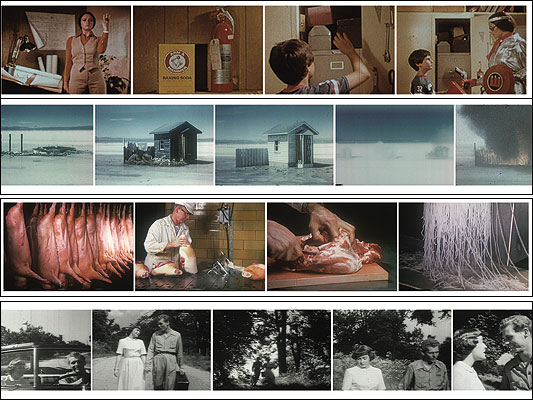
n todays session we practiced using Final Cut Pro to edit together footage from Panorama Ephermera together with the song America Is Waiting by Brian Eno&David Byrne:


Taking sections of our choice from the film we took a one minute section of the film and edited together using a sequence. Using FCP we used tools such as markers, making subclips and editing audio levels as well as adding some effects.


The main problem I had with the excercise was having to contstantly render the video in order to watch it during the editing process. In therms of the music there weren't many good hit points either which made it quite difficult to arrange the video sequences.

This however is what I came up with =]

Ephemera vs David Byrne from Kirsty F on Vimeo.