Showing posts with label FCP. Show all posts

Sunday, 5 December 2010

A Quick Guide to Multi-Camera Editing!

As mentioned in previous posts, myself and 3 others helped on a music shoot last Monday and edited on Wednesday, and we learnt there are many things to bear in mind when simultaneously shooting with more than one camera.
Here is a few key points to remember when it comes to FILMING multi-cam shoot:
  • When filming ensure both camera are in same format and codec
  • All rec's must be continuous (e.g. dont break between songs)
  • Get a clear sync point when filming (e.g. a clap/shout/flash)
When it comes to editing in Final Cut here's the basics of what to do:
  • Find your sync points in footage and mark them as 'in points'
  • After selecting clips choose "Modify' then 'Make Multiclip'
  • Overwrite the multiclip into the Timeline (shortcut F10)
  • Opening the multiclip in the viewer you can simply clip between shots
  • You can then go back and adjust any cuts accordingly (e.g. to the beat in music) by 'rolling' or 'extending' the edits
  • Once you're finished and wish to edit the clip as a whole such as fade ins/cutting whole chunks out you must again select 'Modify' and then 'Collapse Multiclip'
It is a lot simpler than I first thought, just have to make sure you get a good and clear sync point when filming, will save ages in the edit!
All tips here adapted from worksheet from Mike Johnston.

Tuesday, 27 April 2010

Group Project: Reassessing Our Approach


So with only a week to go before the deadline for our group project we are deep into the editing process. Due to problems with technology and capturing our 2nd tape of footage we only managed to gather all our footage together on Friday.
Up to this point we had edited the interview footage from just one tape and were finding it impossible to match up the cut down clips with this new tape. What else could we do but start over?
We managed to line up the two full half an hour tapes of interview so we could easily cut down and swap between shots. Though this sounds like a massive step back, because I had worked on the interview so far for so long I knew exactly what was and wasn't in it. It only took a few hours to get back to a interview of just over 6 minutes.
To cut a long story short...after a minor delay we are back on track and feel we are still on track to get everything done on time!
And the lesson to be learnt? ... dont rely on technology!

Friday, 26 March 2010

Fridays FCP- Final Cut Practice!

Today we looked at colour correction within FCP. To do this we took one of the group cooking projects to edit.
These are the steps we went though:

Firstly we went through the clip and made markers within the Viewer (if we had the original FCP file this would not have to be done), from this we were prepared to make subclips. It is useful to name the shots and add a description for future reference.


After doing this you can make subclips and set them up in a new bin within the browser...


Using these you can recreate the film in the timeline...


Once you have done this it is time to add the effects, for this exercise we are looking at colour and exposure correction so for this you need to use Color Collection 3-Way, when you arrange the windows you get different graphs to work with...


We will focus on using the waveform and vectorscopes and then we can edit the settings using the Color Corrector within the viewer.


You can keep an eye on what you are doing by comparing with other shots using the tool bench on the right hand side.

This is the result of our work this morning:

I have realised it is a very slow process doing this colour correction work, the clear way to make it easier on yourself is to set and keep correct exposures throughout filming. The more you do this the less editing work you will have to do later on in the process.

Friday, 19 March 2010

Keyframing&Animation

Final Cut Pro 7 icon 


In todays session we had a go playing around with key framing to get a small animation done.
Using Final Cut Pro in particular the Viewer window you can edit the key frames to change certain settings of an image such as: Scale, Rotation, Center,  Anchor Point, Opacity and several other functions.


To get the image ready for using in the first place you must use Photoshop to edit the image so that it has no background by using layers and alphachannels.
Once the image is ready and saved as a photoshop file, it can be imported into Final cut to be used in combination with any images/moving image you may have.
I chose to keep my work simple but amusing and this is what I came up with:


It is a useful tool and I'm sure it will come in handy for creating interesting titles or short animation sequences in the future. It is quite difficult to get the knack of but once you know what you are doing and what you want to achieve it is quite easy to carry out....though often requires lots of waiting around for media to render!

Friday, 27 November 2009

Final Cut Pro


http://digifish.co.uk/_images/final-cut-pro-logo-tn.jpg


In todays session using Google Documents  I created an instructional slideshow on the basic tools/uses with Final Cut Pro.

We used screen shots from Final Cut Pro using clips loaded onto the Macs.

Friday, 13 November 2009

Panorama Ephemera vs Brian Eno

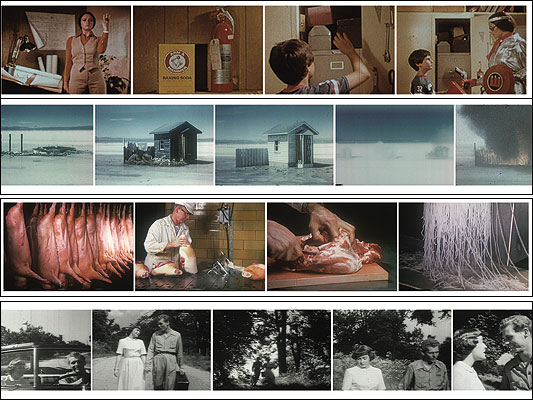
n todays session we practiced using Final Cut Pro to edit together footage from Panorama Ephermera together with the song America Is Waiting by Brian Eno&David Byrne:


Taking sections of our choice from the film we took a one minute section of the film and edited together using a sequence. Using FCP we used tools such as markers, making subclips and editing audio levels as well as adding some effects.


The main problem I had with the excercise was having to contstantly render the video in order to watch it during the editing process. In therms of the music there weren't many good hit points either which made it quite difficult to arrange the video sequences.

This however is what I came up with =]

Ephemera vs David Byrne from Kirsty F on Vimeo.