Showing posts with label pre-production. Show all posts

Friday, 5 March 2010

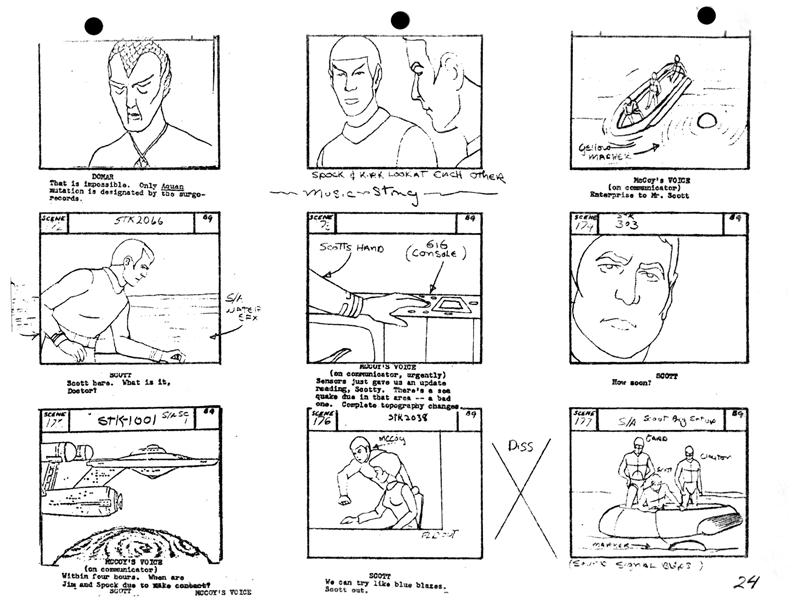
Storyboard

Another Friday brings another day preparing for filming. Though for our 4003 Group Production we are doing a documentary, it is still good practice and will be useful for future productions to look at storyboarding and the most useful way to go about doing this.


Though traditional storyboards are thought of as endless pieces of scibbly paper drawings, again we can use Celtx to create a more visual, tidy and portable storyboard for our productions. Today we were given a one scene script, and after finding the beats within the scene and deciding upon our shot types we took the Panasonic cameras out and shot individual pics for each shot to upload to Celtx.

 
Celtx allows you to upload each photo into its storyboard layout, select shot type from the drop down menu and add a short description of your shot. Once you have done this you can play these pictures within the programme as a slideshow which will include the short description as shown below:

For a more universal file format you could also use your sequence of images in Quicktime Pro, set how long you wish to spend on each photo and export it as a Quicktime Movie. The downside of this is you cant include the text but it does give you a good idea of how the scene will flow. This is what our images from this mornings exercise came to as an outline to the scene. (Please ignore my face at 10secs...Ed knows how to capture me at my worst obviously!)


The useful thing about making a storyboard in this manner is that is gives opportunity to practice the framing of shots without the actual actors having to be present. As you can see the photos don't need to be very precisely done and don't need to be well acted to give you an idea of what you want to include in a scene.

Tuesday, 2 March 2010

Scriptwriting

http://images01.olx.in/ui/2/44/39/16223539_1.jpg
 There are many formatting basics when it comes to script writing, for example all scripts are written in with the same layouts using the same size font. From this rule it makes it easy to estimate how long the final film will be, it is a vague rule that each page will equal one page of action.


This is not a strict rule as for example the Avatar script is around 150 pages long but is longer than 150mins.

Other basic key rules about script formatting:
  • Character cues in the middle of page in capital letters
  • Info in brackets gives more personal direction to characters
  • Column dialogue when more than one character speaks at once
  • If listing a series of visual shots, number then describe
  • Font= Courier 12pt
  • DON'T number scenes
  • Title scenes: INT/EXT, Location, Time of Day
Scripts for Hollywood flicks can be found on websites such as SimplyScripts.com

Again we can use the ever useful Celtx for editing screenplays and scripts. Here is an example of the work you can do with a few clicks of the TAB button:

From this:


To this:


Instantly the script becomes far easier to read and easy to distinguish between action, dialogue, screen directions etc.

The guide we looked at about scriptwriting written for BBC website can be previewed/downloaded here.

Tuesday, 9 February 2010

Step Outlines

 http://www.nyac.co.uk/images/typo.jpg


In todays session we focused mainly on short films and how to construct them, mainly focusing on scripting and story boarding.

The excercise we completed was on taking a script for a short film and turning it into a step outline. The purpose of a step outline is to condense a script into a series of statements/statuses about each scene. In this case we had 10 scenes to break down into basic one sentence summaries.
It makes it an easy way to describe the film to some one without them having to read the entire script.

The basic things to include in the step outline is location and action. What should not be included is: dialogue, character description and reason for scene.

The original script looks something like this:


Converting this into a step outline would be more concise:

Friday, 29 January 2010

Using Celtx

http://www.boston.com/ae/movies/blog/Bullitt.jpgIn todays session we have been using Celtx in order to deconstruct a scene. This is aiming to help us know how to construct a scene when it comes to making our group projects for 4003.

To do this we used the car chase scene from 1968 film Bullitt starring Steve McQueen. The scene is different from modern day car chase scene in that the shots tend to be longer, the longest one of which is around 18 seconds long.
A thing we were told to bear in mind when looking at the shots was whether or not they kept to the 180 degree rule of filming.

http://dom1wom.files.wordpress.com/2009/09/0000000-pedobear.jpg Sticking to the rule means that filming will be kept in the right direction allowing continuity between shots and preventing audience from being confused about the direction/set up of the shots they are watching.

Characters/objects in the shot should keep the same left/right relationship, and when an object is moving, for example a moving train, if in the first shot the train goes from screen left to screen right it should continue to do so throughout the sequence.


This is part of the deconstruction from the scene with some details to what is going on in the shots themselves:

From this exercise and the ones we have completed in previous 4003 sessions it can be seen that not only is Celtx useful for pre-production storyboarding, but also to deconstruct/analsye existing work.

Tuesday, 19 January 2010

Scheduling

http://www.eecs.harvard.edu/~uribraun/img/schedule.jpg
In todays session we looked further at pre-production and looked at creating a schedule. The function of the schedule is for it to be a document that all crew and cast can read and immediately understand what is going on with shooting.

Key details to be included on a schedule are:
  1. Contact details of cast/crew (name, phone number, email address)
  2. Local contacts (can be used as tick list for release forms)
  3. Equipment details (and contact for technical support)
  4. Directions/map with transport arrangements (cast often has transport organised for them whereas crew are expected to make their own way)
  5. Arrival times
  6. Shooting schedule (in as much or as little detail as you feel appropriate.
To make a professional standard schedule you need to include up to date contact details, detailed directions are good (but a Google map or equivalent is often better) and a realistic time scale for shooting.


Tuesday, 12 January 2010

Using Celtx


In today's session we used Celtx in order to create a storyboard to use for shooting. The new 2.7 version of the free software allows you to use a sketch feature which helps those who cant draw to well.
Using the sketch feature we created overhead shots for a made up script. The advantage of this is that you can make clear pictures of the set that any member of crew would find easy to follow. You can add as much or as little text detail as you wish.

At the end of the 2 scene worth of inputting you get something like this:
From this you can also add images from a camera, which we went on to do. Once you have done this the play function will work and you have a full detailed storyboard which can also be rearranged to function as a shot list.